
2026-09-04
Share


An interactive system for Mlxos series is a real-time control workflow that captures human movement through sensors, processes the data through TouchDesigner or MADRIX, converts control signals through Art-Net and DMX512, and drives the mechanical units to respond with synchronized flipping, lighting, or visual changes.
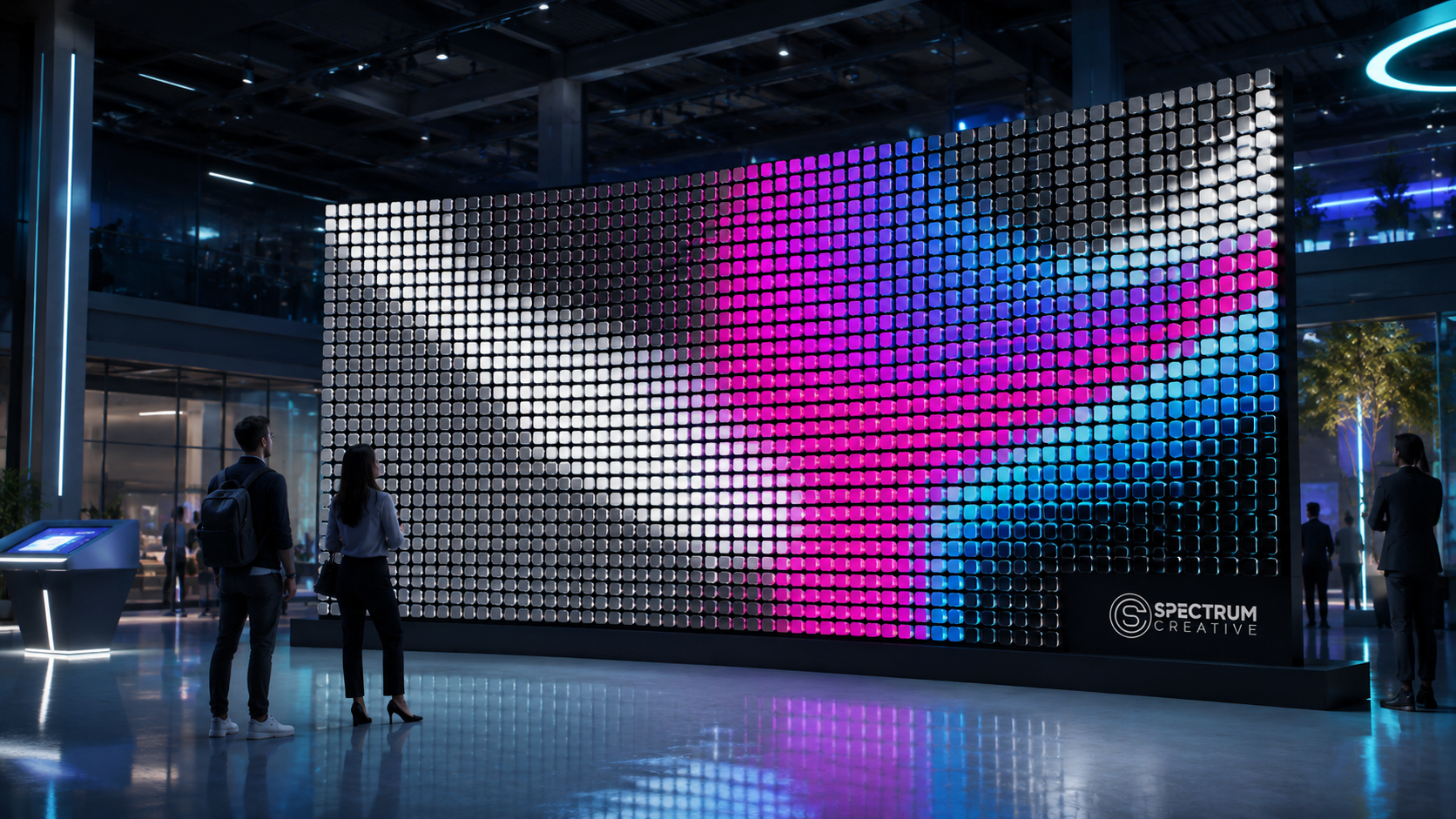
In simple terms, interaction means the surface no longer only “plays” a preset effect.
It can respond.
When a person walks closer, the mechanical surface can ripple.
When a hand moves, the pattern can change.
When the audience gathers, the system can trigger waves, lighting sequences, or dynamic motion.
When music or stage lighting changes, the mechanical movement can follow the rhythm.
This is the key reason why Mlxos series is not only a display product, but also a spatial experience system. The source material states that the system can connect with TouchDesigner, cameras, and LiDAR, allowing audience movements to trigger screen variations.
Commercial spaces are competing for attention.
A static screen can show information.
A video wall can play content.
But an interactive mechanical surface can invite people to participate.
In 2026, shopping malls, flagship stores, exhibition halls, product launch spaces, museums, airports, and brand experience centers are all looking for one thing: higher engagement.
According to the ITS data referenced in this content framework, interactive visual installations can increase participation duration by 3.8 times and social sharing potential by 6.2 times compared with non-interactive visual setups.
This explains why interaction is becoming a core requirement in commercial display design.
People no longer want to only watch a screen. They want to become part of the experience.
For brands, this means stronger memory points, longer dwell time, more user-generated content, and higher communication value. For project owners, it means that a display surface can become a traffic driver, a social media trigger, and a long-term spatial asset.
Mlxos series fits this shift because it combines mechanical movement, lighting or video extension, sensor input, and programmable control into one system.
A real-time interaction system is not a single device.
It is a complete control chain.
For Mlxos series, the interaction workflow can be understood in four layers:
1. Sensor Layer
2. Control Layer
3. Transmission Layer
4. Execution Layer
Each layer has a clear function.
The sensor layer is responsible for collecting real-world data.
Common input devices include:
l cameras
l depth cameras
l LiDAR
l motion sensors
l distance sensors
l gesture recognition systems
These devices capture audience behavior, such as:
l walking direction
l body position
l hand movement
l distance from the surface
l crowd density
l movement speed
The source material specifically mentions camera and LiDAR as methods for capturing human positioning, motion, or distance data. It also explains that this can transform the screen from a one-way display into a participatory public interactive installation.
The control layer receives sensor data and turns it into visual or motion instructions.
Two key tools are used in this workflow:
TouchDesigner is suitable for real-time interactive content, sensor-based response, and human-machine interaction.
It can process camera data, LiDAR input, distance information, movement speed, and gesture signals. Then it converts those inputs into control parameters.
For example:
l a person walking left to right can generate a wave motion
l a hand gesture can trigger a ripple
l audience distance can control flipping speed
l crowd density can change the brightness or pattern
l music rhythm can modify motion frequency
The source material states that TouchDesigner can create human-machine interaction, real-time content, and sensor linkage.
MADRIX is more suitable for lighting effects, rhythm changes, and stage-style visual results.
It is often used when the project needs quick lighting output, synchronized rhythm, or integration with performance environments. The source material lists MADRIX and lighting consoles as tools for creating stage lighting effects, rhythm changes, and lighting linkage.
After the control layer generates instructions, the system needs to send signals to the mechanical devices.
This is where Art-Net and DMX512 become important.
Art-Net is used for network-based signal transmission.
DMX512 is commonly used for device-level control, especially in stage lighting and mechanical response systems.
In many projects, Art-Net signals can be converted into DMX512 signals through an Art-Net to DMX512 converter. The source material describes this as converting network control signals into device-executable control protocols, making the system compatible with stage lighting systems and easier to integrate with third-party systems.
The final layer is execution.
Once the system receives control commands, the mechanical units of Mlxos series respond through motor-driven flipping.
This is where digital control becomes physical movement.
The visual result may include:
l flipping waves
l matrix patterns
l synchronized color changes
l lighting responses
l rhythm-based movement
l interactive motion effects
l video-linked mechanical changes for Mlxos 138P
The source specifications show that the system supports a maximum rotation speed of 3 Rev/s and a switching time of 0.15s to another side, which provides the mechanical foundation for responsive motion effects.
Mlxos series can support different control workflows depending on the project goal.
The three most common scenarios are:
1. MADRIX / lighting console
2. TouchDesigner
3. Art-Net to DMX512 integration
MADRIX and lighting consoles are suitable for projects that require fast visual results and stable rhythm control.
This workflow is especially useful for:
l exhibitions
l stage performances
l product launches
l music events
l nightlife spaces
l brand activation shows
In this scenario, the main goal is not complex interaction. The focus is on visual impact, lighting rhythm, and synchronized effects.
For example, Mlxos 138L can be used in a nightlife venue where RGB lighting and mechanical flipping respond to music beats. The lighting console controls the rhythm, while the mechanical surface becomes part of the stage atmosphere.
Typical effects include:
l beat-synchronized flipping
l color wave transitions
l stage lighting linkage
l entrance reveal sequences
l product launch countdowns
l background rhythm patterns
This workflow is practical because it is familiar to stage lighting teams. It allows Mlxos series to be integrated into existing lighting systems without rebuilding the entire content workflow.
The source material confirms that MADRIX and lighting consoles are suitable for stage lighting effects, rhythm changes, and lighting linkage, especially in exhibitions, stages, and product launches that require fast visual output.
TouchDesigner is the best choice when the project needs real-time interaction.
Unlike preset lighting control, TouchDesigner can process live input and generate dynamic responses.
This makes it suitable for:
l interactive public art
l museum installations
l retail experience spaces
l science and technology museums
l immersive exhibitions
l corporate showrooms
l brand experience centers
A TouchDesigner-based workflow can respond to audience behavior in real time.
For example:
When a person walks in front of the surface, the system can detect body movement and create a mechanical wave that follows the walking path.
When a visitor moves closer, the flipping density can increase. When they step away, the movement can gradually fade.
A hand movement can trigger a ripple, logo reveal, or color transition.
When more people gather, the system can generate stronger movement, brighter lighting, or a larger pattern response.
TouchDesigner can also create generative visual content instead of playing preset files. This means every interaction can produce a slightly different result.
This is why TouchDesigner is valuable for commercial spaces. It transforms a display surface into a live experience.
In large commercial projects, Mlxos series may need to work with other systems.
These may include:
l stage lighting systems
l media servers
l show control systems
l building control systems
l sensors
l interactive software
l audio systems
l event control consoles
Art-Net to DMX512 conversion makes this integration easier.
Art-Net can transmit control data over a network. DMX512 can execute device-level instructions. Together, they create a bridge between digital content systems and mechanical output.
This is especially useful in stage-level cascading.
For example, during a product launch:
l the media server plays the main video
l the lighting console controls stage lights
l TouchDesigner processes interactive data
l Art-Net transmits network control signals
l DMX512 drives mechanical units
l Mlxos series performs synchronized movement
This allows the mechanical surface to become part of the entire show control system.
The source material specifically mentions that Art-Net to DMX512 conversion helps convert network control signals into executable control protocols and supports third-party system integration.
A typical TouchDesigner workflow for Mlxos series can be described in five steps.
The system first receives input from cameras, depth cameras, LiDAR, or other sensors.
The data may include:
l human position
l hand movement
l body outline
l distance
l movement direction
l speed
l audience density
This is the raw material for interaction.
TouchDesigner processes the sensor data.
For example, it can identify:
l whether someone is present
l where the person is standing
l how fast they are moving
l how far they are from the surface
l whether a gesture is happening
At this stage, the system converts real-world behavior into usable digital values.
After parsing the input, TouchDesigner generates control parameters.
These parameters may define:
l which area should flip
l how fast the units should move
l whether the motion should spread like a wave
l what color or lighting effect should appear
l whether the movement should fade, repeat, or follow the user
This is the creative core of the interaction.
A good TouchDesigner setup does not simply map sensor input to output. It designs the emotional logic of the experience.
The generated control parameters are then converted into device control signals.
In many cases, TouchDesigner outputs control data through Art-Net, which is then converted to DMX512 for device execution.
This allows the digital interaction logic to communicate with the physical mechanical system.
Finally, Mlxos series executes the response.
The mechanical units flip, the lighting changes, or the video-supported model responds according to the programmed logic.
The audience sees the result immediately.
This is the moment when data becomes movement.
Different sensors create different interaction experiences.
Choosing the right sensor is important.
Sensor Type | Best For | Advantages | Limitations |
Standard Camera | Basic motion detection, gesture recognition, visual tracking | Easy to deploy, cost-effective, good for simple interaction | Sensitive to lighting conditions, less accurate for distance |
Depth Camera | Body tracking, distance-based interaction, gesture depth | Better spatial data, useful for indoor interaction | Limited range, may need calibration |
LiDAR | Distance detection, large-area tracking, public space interaction | Strong spatial accuracy, suitable for bigger installations | Higher cost, requires professional setup |
For small retail installations, a camera or depth camera may be enough.
For large public art projects, LiDAR is often more suitable because it can capture distance and movement more reliably across a wider area.
For stage and exhibition projects, the choice depends on whether the interaction is audience-facing, performer-facing, or environment-based.
Not all interactive systems create good experiences.
Good interaction should feel natural, visible, and meaningful. Poor interaction often feels confusing, delayed, or decorative without purpose.
Good Interaction ✅ | Poor Interaction ❌ |
The audience can easily understand what action triggers the response | Users do not know how to interact |
The response is fast enough to feel real-time | The response is delayed or disconnected |
The movement matches the spatial concept | The effect feels random |
The interaction encourages people to stop, try, and share | The interaction becomes a one-time gimmick |
Sensor zones are clearly designed | Sensors trigger accidentally or inconsistently |
Motion, lighting, and content work together | Visual layers compete with each other |
The system is stable for long-term operation | The setup only works during testing |
For Mlxos series, the best interactive designs usually follow one rule:
Do not make interaction too complicated.
A simple wave following a person’s movement can be more effective than an overly complex system that users do not understand.
Real-time interaction depends on both software and hardware.
TouchDesigner may generate fast control signals, but the mechanical system must also respond quickly enough to create a convincing effect.
This is where the mechanical specifications of Mlxos series matter.
The product specification states that the system supports:
l maximum rotation speed: 3 Rev/s
l time to switch to another side: 0.15s
These values help support fast mechanical response.
For interactive scenarios, this means the system can create:
l quick flipping transitions
l responsive wave movements
l rhythm-based changes
l stage cue responses
l sensor-triggered visual effects
Of course, the final interaction speed also depends on the full control chain, including sensor latency, TouchDesigner processing, Art-Net transmission, DMX512 conversion, motor response, and content programming.
A well-designed project must optimize the entire chain, not only one part.
Yes. Mlxos series can be integrated with TouchDesigner to create human-machine interaction, real-time content generation, and sensor-based visual responses.
Common sensor options include standard cameras, depth cameras, LiDAR, motion sensors, and distance sensors. The source material specifically mentions cameras and LiDAR for capturing human position, movement, and distance data.
MADRIX is more suitable for lighting effects, rhythm changes, and fast stage-style visual output. TouchDesigner is better for real-time interaction, sensor input, generative content, and human-machine response.
Art-Net is useful for network-based control, while DMX512 is commonly used for device-level execution. Art-Net to DMX512 conversion helps connect digital content systems with physical mechanical response.
Yes, the product specifications support fast mechanical response, including a maximum rotation speed of 3 Rev/s and 0.15s switching time. However, final response quality depends on sensor setup, control programming, signal transmission, and system calibration.